Your AI. Voice and button control.
Control AI agents on your Mac with your voice and Apple TV Siri Remote. Speak your prompt. Press to send. Scroll with your thumb.
v0.2.3 beta · Apple silicon · macOS 13+
Siri Remote required. Sold separately.

Sound familiar?
AI is working. Why are you still hovering over the keyboard?
You have the next idea. You reach forward to type it. A diff appears. You reach again to scroll, then again to approve. Remoter puts those small, repeated moves in one hand.
Keep your attention on the work in front of you.
A small preview
One request. Three moves.
Add a loading state to a login button. Try the side button, the ring, then approve or reject the result.
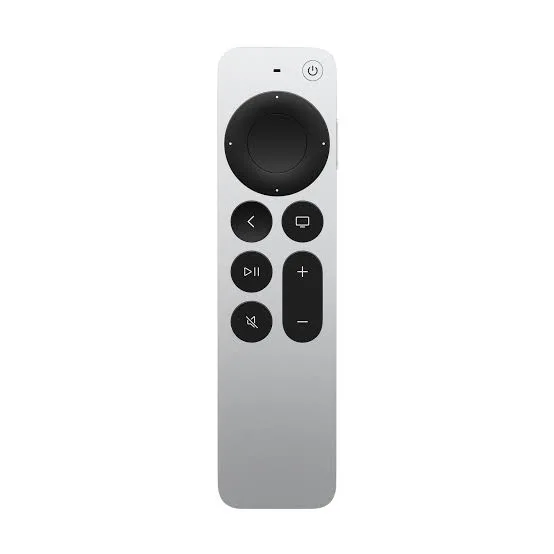
Try the controls below. On your Mac, bind them to your preferred shortcuts.
Tab to a control. Enter or Space to activate.
An idea, ready to become a prompt.
Press the voice button below to send the example request.
Your voice prompt
Add a loading state to the login button. Prevent duplicate submissions.
Proposed change
The button is disabled while signing in. The label changes to “Signing in…” until the request finishes.
LoginButton.tsx

- <button onClick={signIn}>
+ <button disabled={isLoading}
+   onClick={signIn}>
+   {isLoading ? loadingLabel : label}
+ </button>
The button is disabled while signing in. The label changes to “Signing in…” until the request finishes.
Example result
- 1. Speak
- 2. Review
- 3. Decide
This is a scripted preview. No microphone, AI account or Mac connection is used.
Actions depend on the app, preset and focused window. Remoter sends your configured shortcuts; you stay in charge.
Picture your next session
Same workflow. A different feeling.
Say the next idea
The thought arrives. You say it.
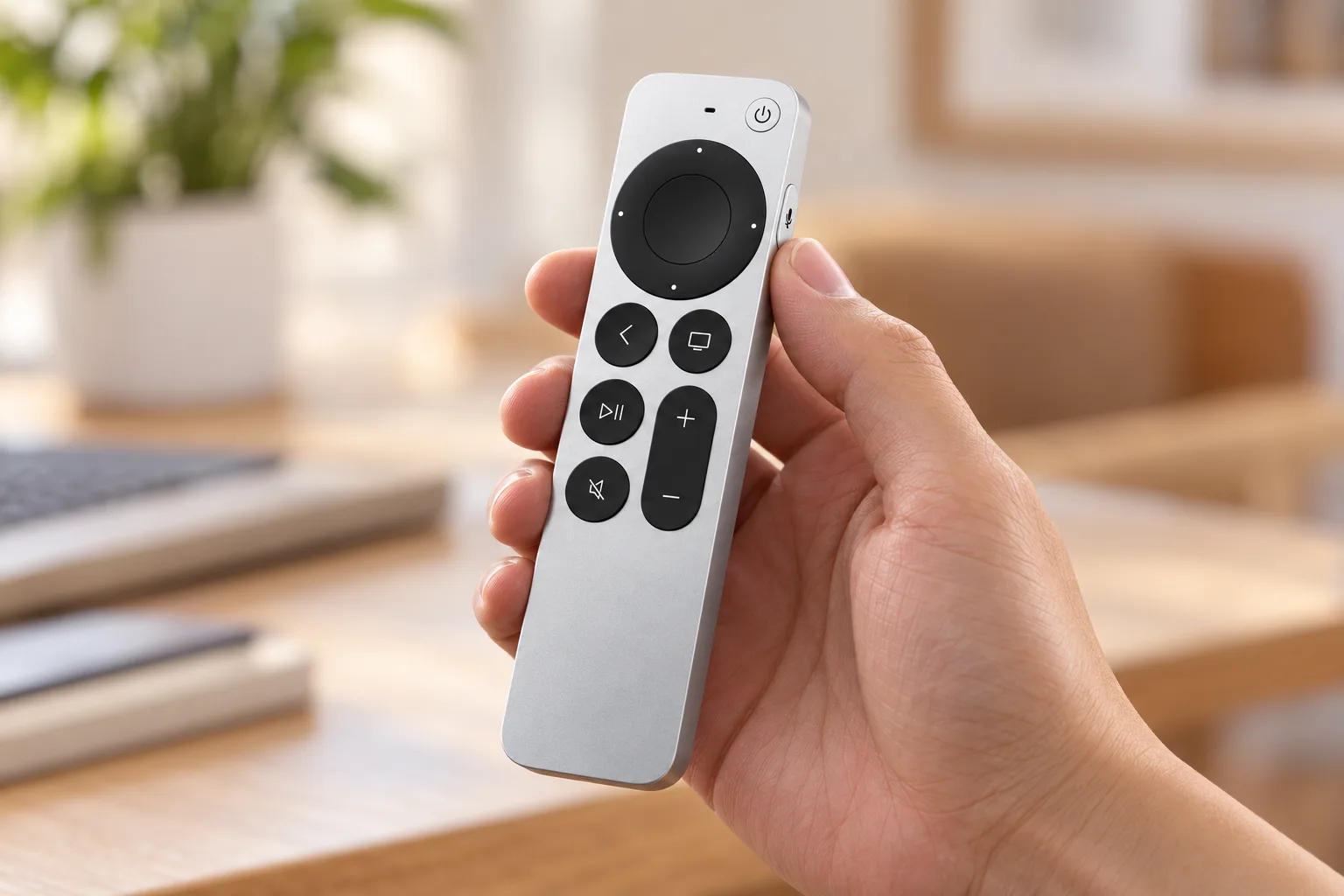
Hold the side button to use your configured voice mode. A request becomes text in the focused app, so you can keep looking at the result instead of composing every keystroke.
Start with your Mac’s microphone. Audio from the remote needs the advanced setup. Cloud voice and rewriting need your own provider credentials and may incur fees.
Circle the ring to scroll
The plan starts with your goal.
Break the work into clear steps.
Review the part that matters.
Ask a follow-up when ready.
Illustrated example
Read at your pace
A long diff. One small thumb movement.
Trace the clickpad ring to scroll. Pause on the line you want to read. Use the preset’s accept or reject shortcut after you have reviewed the change.
Choose an app
− <button>
+ <button
+   disabled={loading}
+ >Make the next step clearer.
Start with one small step, then check the result.
Make the next step clearer.
Use an assigned shortcut; app setup and microphone choice still apply.
Read a page, switch a tab
Illustrated example
Your apps, your buttons
Switch apps. Keep your rhythm.
Set an app profile once. Remoter can switch mappings with the active app: review in your coding tool, scroll in Safari, or play and pause your music.
Make it yours.
Start with the work you already do.


One button, different presses
Focus the prompt
Start configured dictation
Open a new conversation
Illustrated example
Your first session
From remote to ready.
Start with button control and your Mac’s microphone. Add the advanced remote microphone only if you need it.
Download and open
Unzip the app, move it to Applications, then open Remoter and follow System Check.
Pair and allow
Pair in Mac Bluetooth settings. Allow Accessibility and Input Monitoring when requested.
Choose your buttons
Apply a coding preset. Focus a test window, try scrolling, then check one shortcut.
Hold Back and Volume Up together near your Mac for about 5 seconds, then select the remote in Bluetooth settings.
Check your setup before you download.
- Your Mac
- The included v0.2.3 download is for Apple silicon Macs running macOS 13 or later. There is no Intel download here.
- Your Siri Remote
- Start with a 3rd-generation Siri Remote (USB-C), the documented setup. Older models have different controls; do not assume full feature parity.
- Your voice mode
- App-only uses the Mac microphone. Remote audio requires Full Setup, Apple’s PacketLogger and extra permissions. Availability depends on your setup.
Preparing to launch
A remote you know. A new way to work.
The app price excludes the Siri Remote. If you already own a compatible remote, reuse it. Otherwise, budget for hardware separately.
AI services and API usage are separate and may cost extra.
Planned one-time app price
$19 USD
Sales are not open yet. Try the current beta while the launch is being prepared.
v0.2.3 beta · Apple silicon · macOS 13+
Siri Remote required. Sold separately.
Direct download · App-only ZIP · 7.5 MB
The $19 price is planned, not a current offer. Trial, license, refund and update terms will be confirmed before sales open.
Advanced mic setup
Full Setup adds a system audio plug-in and an administrator-level capture service. Read the setup and privacy details before installing it.
See setup stepsAdvanced mic setup · .pkgA few things before you start.
Is Remoter hardware or software?
Remoter is a Mac app. It maps an Apple TV Siri Remote to pointer movement, scrolling and shortcuts. The physical remote is not included.
Does the remote replace my keyboard?
Keep your keyboard for detailed edits. Remoter gives you another way to prompt, navigate and trigger frequent actions while reviewing work.
Can I still use it with Apple TV?
Yes, by pairing it back to Apple TV. It controls the device it is paired with; switching is not simultaneous. Follow Apple’s pairing instructions.
View maker’s detailsDoes my voice leave the Mac?
It depends on the voice mode. On-device recognition stays local when supported. Cloud transcription, AI rewriting and connected AI apps send data to the chosen provider.
Do I need the advanced microphone setup?
No, to try buttons, scrolling and voice through your Mac microphone. Only choose Full Setup if you need audio from the Siri Remote itself and can meet its requirements.
Can I buy Remoter now?
Not yet. The current beta can be downloaded here. The planned app price is $19 once; commercial terms will be announced before sales open.
Already have another controller?
See which setup fits your habits, hardware and budget.
Put the next move in your hand.
Try one workflow with the remote you already have.
v0.2.3 beta · Apple silicon · macOS 13+
Siri Remote required. Sold separately.